


Enabling Wi-Fi across large, open spaces can be challenging.
Running Ethernet or fiber optic cable may not be practical or affordable. Wi-Fi access points and repeaters may not have the reach, or you’d have to install so many of them it becomes financially impractical.
Wireless bridges enable you to connect separate locations on a single local area network (LAN). How separate? With some bridges, the locations can be over three miles apart.
In this blog, we explain in non-technical language what wireless bridges are and when you’d want to use them. We also provide an example scenario of how wireless bridges can be used on a farm.
Let’s get into it!
What Are Wireless Bridges?
Wireless bridges are devices that establish a wireless network connection between physically distant network segments, so all segments can be on the same LAN without you needing to run Ethernet or fiber optic cable, use repeaters, or setup a mesh network between them.
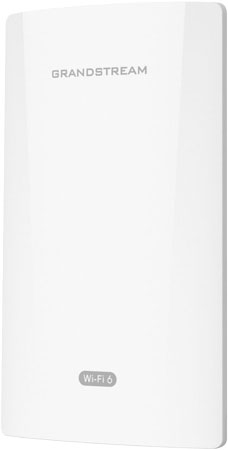
Bridges operate over much greater distances than the other options. A long-distance Wi-Fi access point, for example, might have a maximum range of 300 meters or so. That’s three football fields — not bad. A wireless bridge like Grandstream GWN7302, however, has a maximum range of 5 kilometers. Forget football — we’re talking cross country at this point.
One bridge is connected to the LAN via a switch or router; this is called the master or parent bridge and acts as a transmitter. The other bridges are, essentially, antennas pointed at the parent bridge to pick up its signal and direct network traffic to and from it; these are called slave or child bridges. The child’s segment is thus connected to the parent’s LAN.
All bridges in the system need to have unobstructed line of sight with the parent bridge, which means, for example, tree foliage might need to be cleared.
Unlike access points and repeaters, wireless bridges don’t connect client devices like smartphones to a Wi-Fi network. Rather, they connect to devices like network switches, access points, computers, and IP cameras via Ethernet cables.
You do need to figure out a way to deliver electrical power to all the bridges. The bridges, however, might be able to power a connected device via PoE; in this case, you only need to worry about one power drop.
Two wireless bridge initialisms you will encounter are PtP and PtMP.
- PtP = Point to Point. A PtP system has one parent and one child bridge.
- PtMP = Point to Multi-Point. A PtMP system has one parent and multiple child bridges. The child bridges don’t communicate with each other like in a mesh network; rather, they all communicate with the parent.
If you only have, for example, one barn to connect to the network, you need a PtP system. If you have three physically separated barns, however, you need a PtMP system.
Some wireless bridges are dedicated parent or child devices; others can function as either parent or child, depending on how they’re configured.
When would you use wireless bridges?
Wireless bridge systems are used when you want to create a unified network across multiple locations, but you don’t want to use (or pay for) cellular or satellite internet service and the distances between the locations are too great for other solutions like a mesh network.
One end of the system, the parent bridge end, will manage the LAN and, typically, connect to the internet. The far end, the child bridge end, will be unable to connect to the internet directly.
For example, a ski resort wants to set up Wi-Fi at a station at the top of a slope. Running Ethernet or fiber optic cabling all the way up to the station is very pricy, so unless it has a cellular or satellite internet connection, it won’t be able to connect to the internet directly. Point a bridge at the station to a bridge at the lodge. Connect the lodge’s bridge to the lodge’s network and connect the station’s bridge to a Wi-Fi access point. A bit of network configuration later, and you have Wi-Fi at the ski slope station — and you don’t need to pay for cellular or satellite internet.
Another common wireless bridge scenario based on real-world help given by our network experts is farms.
Wireless Bridges for Farms
Farms are difficult locations for establishing solid, unified Wi-Fi networks. Buildings are often large and distant from each other, making standard methods of expanding networks unfeasible.
All the buildings might not have direct access to an internet connection, and you wouldn’t want to pay for multiple internet accounts if you don’t have to anyways. Same goes for satellite internet access, which can be very expensive: why pay if you don’t have to? Cellular networks are often unreliable — or non-existent — in rural areas.
Having reliable internet access across the whole farm, however, is increasingly necessary as farm equipment evolves.
Internet of Things (IoT) sensors for data-driven farming require internet access.
Precision agriculture strategies and site-specific crop management help you be more efficient with land usage, but they also place greater technological burdens on you.
Having a computer at the barn to check on the hen feeding and egg-laying schedules makes your life that much easier.
Farms in 2026 need better internet for every building. Wireless bridges can help.
Let’s say your farmhouse has an internet connection. You want a Wi-Fi network in the dairy cow barn to the internet to take advantage of new smart monitors that will make the feeding and milking schedules more accurate. The barn, however, is located a mile down the road. It has power but no internet. Running Ethernet or fiber optic cable that far is too expensive.
To connect the barn to the internet, you set up a parent bridge at the farmhouse and point it at the barn. This bridge is connected to the router you use to manage your home network.
At the barn, you set up a child bridge and point it at the farmhouse. You connect the child bridge to a Wi-Fi access point. You do the necessary network configuration, and the smart monitors and the computer you use to analyze data can now connect to a Wi-Fi network, which is an extension of the internet connection at the farmhouse.
This basic arrangement works for a wide range farming and ranching locations.
One thing you need to remember, though, is wireless bridges require a clear line of sight between them. If you have trees obstructions between buildings, you’ll have to clear foliage for the bridges to work. The same consideration goes for any other type of obstruction.