

Of all the user-facing devices in intercom and paging systems, the call button might be the humblest.
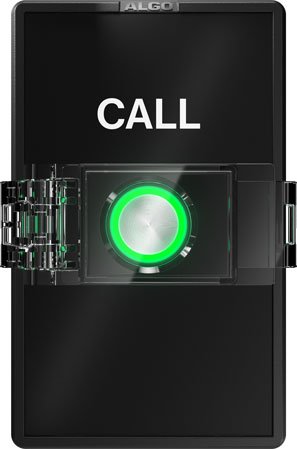
A single button on a wall. Sometimes two buttons. Usually there’s a label: “Call” or “Emergency” or “Help.” Often the button is illuminated.
You press the button. And that’s about it. Or is it?
In this blog, we introduce call buttons, explain their various functions, and describe when and where they’re most effectively used.
Let’s get into it!
An Introduction to Call Buttons
What is a call button?
A call button is device that initiates a preconfigured action on an external communication device like a paging speaker or intercom. Most of the time it’s a button, but sometimes it’s a switch. Sometimes the device will have two buttons, which usually means one for everyday actions and one for emergency actions.
Other names for call button include call switch, call-in switch, emergency button, and panic button.
There are analog call buttons and IP call buttons, just like there are analog intercoms and IP intercoms. The two types differ in how you connect them to the larger paging or intercom system, what device or system manages them, and how they’re powered.
A call buttons is mounted in a publicly accessible area on a wall or in a hidden area like under a teacher’s desk.
What are call buttons used for?
Call buttons can perform a number of functions. It’s best to think of them in terms of being used for everyday situations or for emergency situations.
The most common function that an everyday call button performs is initiating a call on a talkback paging speaker.
A talkback speaker is a paging speaker that supports two-way audio. The speaker usually has an internal microphone, or it’ll have an external microphone connected either directly or through the network.
Picture a talkback paging speaker in the ceiling of a classroom. How does the teacher initiate a call?
A call button.
Often, it can also be configured to answer calls or even to be a push-to-talk button.
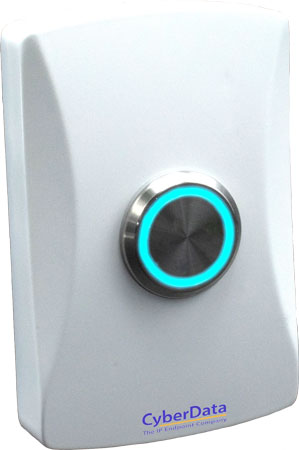
Some call buttons like CyberData 011508 have illuminator rings that can not only make the call button more visible but can also indicate call status.
The most common function that an emergency call button performs is initiating an alert, like playing a pre-recorded message or tone to the personnel monitoring the system.
The system will show personnel which button is calling to aid in dispatch.
It might also initiate a call on a talkback speaker.
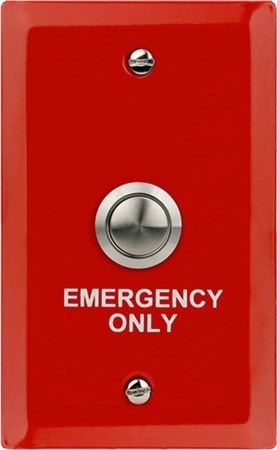
Besides the action they perform, emergency buttons and panic buttons differ from everyday call buttons in how they look. Emergency buttons are often an eye-catching yellow or red.
One other aspect of some emergency call buttons is best explained by examining how call buttons are different from intercoms.
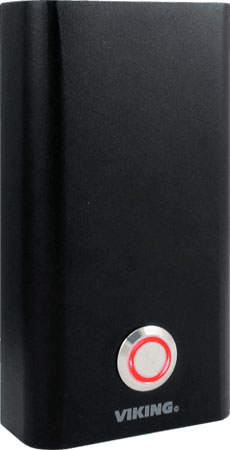
How are call buttons different from intercoms?
Unlike intercoms, call buttons don’t have speakers. They initiate an action on an external, connected device like a talk-back speaker.
Some call buttons, however, do have microphones. For example, Viking PB-3 is a panic button with a microphone. It is intended for installation in a hidden place, like under a desk. When the button is engaged, it places a silent emergency call, and because it has a microphone, the far end can monitor the user’s situation.
A call button with a microphone could be an important component in a school safety plan.
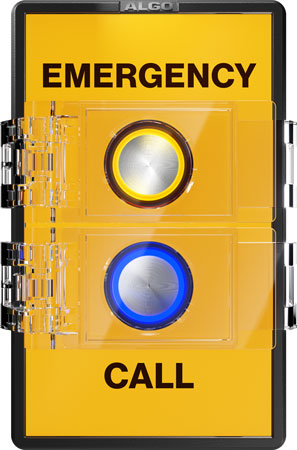
Where are call buttons used?
Call buttons are useful for many different situations. Here are only a few examples.
- Education. Teachers can initiate an alert in an active shooter lockdown.
- Retail. Customers in a box store can easily obtain assistance.
- Healthcare. Doctors and nurses can quickly notify staff in case of a sudden escalation of care required, like a seizure.
- C-Suite. A discreet call button under the desk means the PA is always ready to be called.
- Labs. In case of emergency, press this button.
Call buttons may be humble, but they have many uses.