


We all must be prepared. Without getting too gruesome, let’s just acknowledge that public safety is an ever-increasing concern.
That goes not only for schools, but for workplaces of all varieties, retail stores, public spaces, and more.
VoIP phone manufacturers are responding to the increased vigilance we all must have by providing a range of features that will always be available for you — quickly and easily — to monitor, respond, and act in the most critical of scenarios.
Configure the emergency functions in advance. If the worst happens, you will be prepared.
In this blog, we introduce VoIP phone features for dealing with emergency situations.
Let’s get into it!
This blog is an introduction and contains suggestions; it is not legal advice.
What Is E911?
There are two basic functions that VoIP phones can perform in emergencies.
First, they can be configured to call emergency personnel —security staff, the police, the fire department — in the easiest way possible. Second, they can be integrated with paging and/or video surveillance systems.
But before we get into those two functions, however, let’s discuss 911 — the number we all know to dial in an emergency — and how it functions in a VoIP ecosystem.
You need to make sure E911 is set up properly for each VoIP phone.
E911 is short for Enhanced 911. It’s a solution for providing accurate location information to emergency personnel in the modern technological ecosystem. Previously, a phone call could be traced back to a location because landline could always be traced back to an origin — follow the line.
However, in the VoIP world and especially in the cellular world, this isn’t so easy. Network location doesn’t always correspond to physical location, and physical location is the only one that matters when dialing 911.
The solution is E911. Essentially, within the VoIP world (it’s a bit different for wireless calls), it’s a system whereby you register the real-world location of your phone. When 911 is dialed, the appropriate local agency is contact. The location information is transmitted automatically to the 911 responder.
There are two related US statutes (both implemented in August 2019) you should also know about. The quotations below are from the FCC’s page on 911 and E911 Services (external link):
- Kari’s Law specifies that users must be able “to dial 911 directly, without having to dial a prefix such as a ‘9’ to reach an outside line.”
- RAY BAUM’s Act specifies that “‘dispatchable location’ information, such as the street address, floor level, and room number of a 911 caller, is conveyed with 911 calls so that first responders can more quickly locate the caller.”
What does all this mean for you?
The important thing to know is that E911 information is not necessarily configured automatically.
Make sure your admin has entered the E911 information accurately. Make sure your VoIP service provider is up to date with E911 requirements, including any state requirements.
Now let’s talk about VoIP phones specifically.
Take the Time to Configure Buttons in Advance
Having pre-configured buttons for emergency situations is an excellent idea for preparedness.
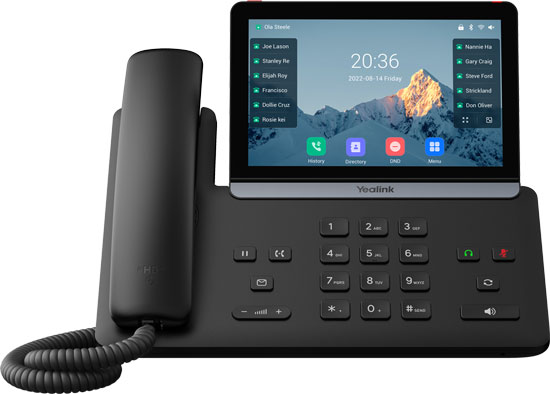
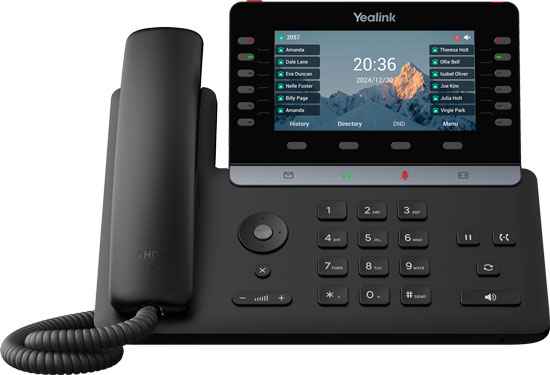
The new Yealink T8 Series features VoIP phones with dedicated emergency alarm buttons on the top. These buttons are configured in the phone’s web-based user interface, where you have options including setting the number to dial, what type of signal it should activate, and more. Crucially, it also has how long you must hold the button before it activates the emergency action — you don’t want false alarms.
Even if your phone doesn’t have a dedicated alarm button, you can configure a speed dial key to dial emergency personnel. However, in public places and schools you might not want the emergency button to be clearly labelled, so only people in the know are aware of it. Balance accessibility and privacy.
It’s important that an emergency call can be placed even when the phone is locked. 911 should always be active. The admin can configure authorized phone numbers that can be dialed when the phone is locked.
Finally, some VoIP phones, including many Yealink phones, support external panic buttons, which can be located under a desk or in another more private location.
Integrate the Phone with Paging and Video Surveillance Systems
A VoIP phone doesn’t just have to be for phone calls. It can also integrate with your paging and video security systems.
Now, this can be quite complicated with many variables, so we’re just going to sketch out options.
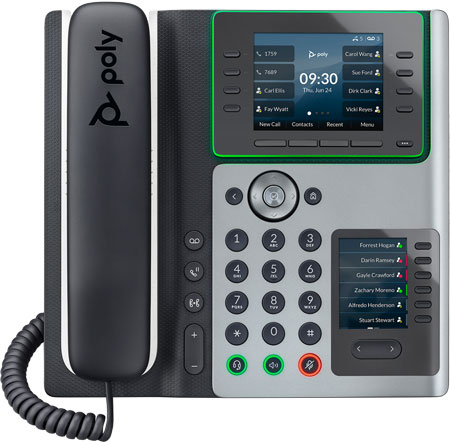
VoIP phones can be used as intercoms and paging microphones. You could set up a quick action button that would allow, for example, a teacher to broadcast to a preset multicast paging group. HP Poly phones, for example, when used with group paging, reserve group 25 for emergencies by default; they interrupt all normal activity, play at near-maximum volume, and function even if Do Not Disturb is on.
Phones can also be used to initiate emergency alerts like sirens or strobe lights.
What functions are available to you can depend on phone model, device/system compatibility, and more. Be prepared by working through what emergency features are available in advance.
VoIP video phones provide the final emergency solution integration we’re covering today.
You can configure video phones to receive feeds from IP cameras.
Mostly video surveillance integration is used with security or front-line personnel who need to be able to monitor entryways and access points. If you can prevent bad actors from entering at all, that’s the best solution. Providing early warning can make an enormous difference in the most critical of situations.