


Some phones are workhorses; some phones are thoroughbreds.
VoIP phones have exponentially expanded the abilities of the desk phone: high-performance chips, large high-resolution touchscreen displays, cordless convenience, and so much more.
With both style and substance, executive VoIP phones are the thoroughbreds of communications.
In this blog, we examine the features that really set an executive-class VoIP phone apart from the herd:
Let’s get into it!
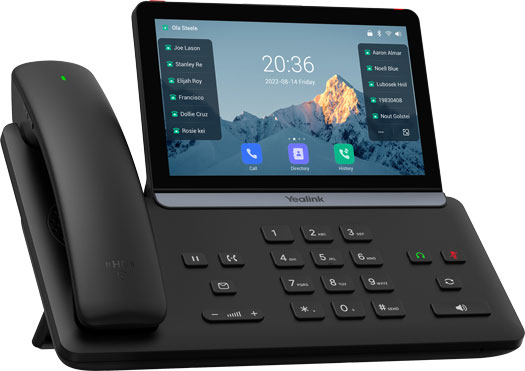
VoIP Phones for the C-Suite
What is the best VoIP phone for CEOs? CFOs and COOs: what phone should you use for business communications?
You want the best of the best. Why settle for less?
Display
Let’s talk displays. The first thing you notice about a phone is its display.
A premium VoIP phone display, especially a touchscreen display, is more than just looks. It brings a world of improvements to your workflow. You now have space for the quick action features should have always been right at your fingertips.
Fanvil A320 is the clubhouse leader right now with a 10.1-inch display. That’s basically an iPad at your desk — amazing.
Most executive-style phones, however, have 7-inch displays.
Some phones like Poly CCX 700 are all display, no physical buttons at all. Its buttons are like the buttons in a Tesla — touch-based and dynamic. VoIP phones with touch-based UIs are more easily customizable. If you like to modify your devices for optimal performance, a touchscreen VoIP phone is the way to go.
Some phones still have physical buttons and with good reason. Familiarity, muscle memory, dedicated solution — these all describe the advantages of physical buttons.
If you prefer a phone with a keypad, a tilting display is great. Most phones still ship with unified bodies. But many now have adjustable displays, which lets you get rid of glare and see the display more clearly.
With their latest phones in the T8 Series, Yealink has emphasized an ultra-thin, sleek design with invisible hinge for the tilting display. It looks fabulous while being 100% purpose-driven.
Customizable Keys
VoIP phones can support literally hundreds of customizable keys. For power-users, having a wealth of keys is a business necessity.
Out of the box, a phone like Yealink T88W Pro supports 84 one-tap keys that you can customize for a whole host of functions: speed dial, directory, conference, multicast paging, multicast paging, call record, phone lock, and more.
And if you need more feature keys, look for a phone that supports expansion modules (a.k.a, sidecars or attendant consoles). T88W Pro, for example, supports three Yealink EXP55 Expansion Modules for a total of 234 keys. Just make sure you get an external power supply if the number of modules requires it.
Audio Quality
Premium audio quality is essential. Let clients hear you with your full, natural voice — look for phones that focus on sound quality.
As VoIP phones have matured, companies have gotten better and better at producing lifelike sound.
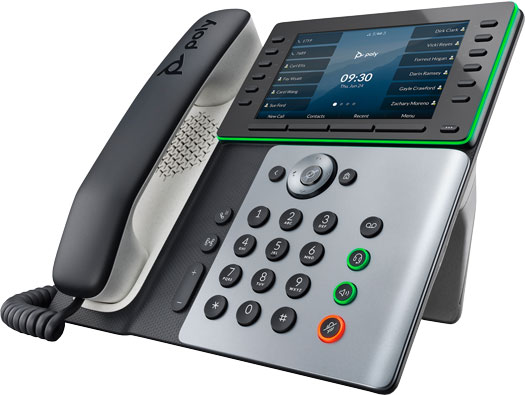
For example, Poly Edge E550 has HD Voice on every audio path (handset, speakerphone, headset), Acoustic Clarity for full-duplex conversations, Acoustic Fence to eliminate background noise for handset and headset, and NoiseBlockAI to eliminate background noise for speakerphone.
Speaking of AI, we’re starting to see cutting-edge audio enhancements like Yealink AI Noise Cancellation, which uses AI to create a silent, uninterrupted environment around your conversation. The focus will always be solely and only on your voice.
Good audio comes from many sources. Let’s talk speakerphones.
Speakerphone
The speakerphone is a phone component that’s taken for granted. It’s one that’s used all the time in the office, and all speakerphones are not created equally.
Poly Edge E Series phones have a bass frequency enhancing design — rich and full.
The new Yealink T7 and T8 Series IP Phones bring the power with 3 W speakerphones — loud and clear. Even better, you can attach the phone to your computer using a USB-C cable, which lets you use it as a speakerphone for your computer. It improves audio for your computer, too.
If you like to use your speakerphone, look for phones with improved speakerphone design.
Smartphone Integration
A seamless experience across every communications device — that’s the dream.
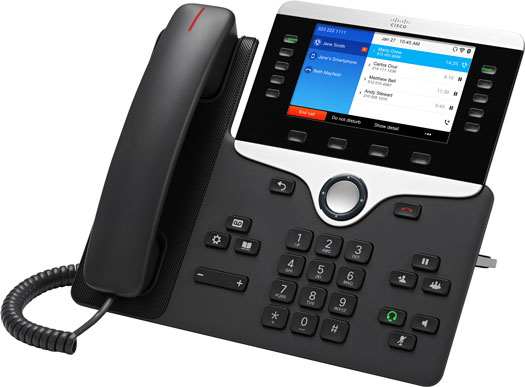
Technologies like Cisco Intelligent Proximity enable numerous mobile integration features. With Intelligent Proximity, you can synchronize contacts and call history, so you’re always up to date on whatever device you’re using.
Poly Edge E Series phones with Bluetooth also let you pair your smartphone to the desk phone. When paired, you can use your desk phone to answer, reject, or end smartphone calls, as well as control volume.
A streamlined, more convenient experience — elite.
Wireless Handset
Speaking of convenience, let’s talk handsets.
Smartphone integration is often performed via Bluetooth. Bluetooth isn’t only used for this; it’s also used to connect a wireless headset — and a wireless handset.
When you lean back in your chair and put your feet up, you don’t want to worry about the cord pulling the phone. You want to be able to walk around while on a call.
You don’t want to be chained: you want freedom. That’s what a wireless handset offers — the familiarity of a handset with the convenience of Bluetooth.
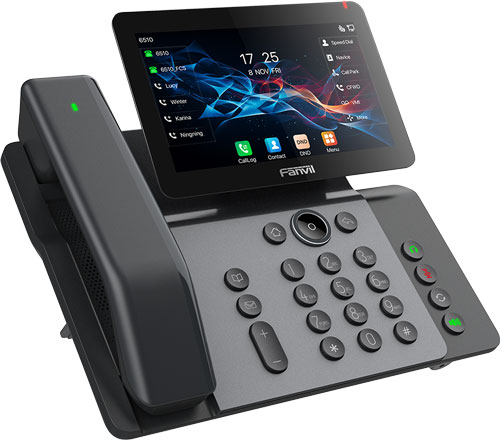
Two new executive phones with Bluetooth handsets are Fanvil V66 Pro and Yealink T88W Pro. If you see a “Pro” phone from these two companies, that means it has a Bluetooth handset.