


How do you reduce bandwidth and storage load from an IP camera system? How do you make video feeds more efficient while retaining all the important detail? How do you optimize camera feeds so they don’t overload the network?
In a recent three-part series, we covered all the ways you can store and stream IP surveillance video feeds:
But we didn’t cover in detail how to reduce the size of the video feeds to minimize the amount of storage and bandwidth you need.
By making IP camera video feeds more efficient, you improve network stability, save money on storage and infrastructure, and can even make the surveillance video more effective, improving fundamental security.
In this blog, we’ve written an expert deep-dive into how to make IP security camera video feeds maximally efficient.
Let’s get into it!
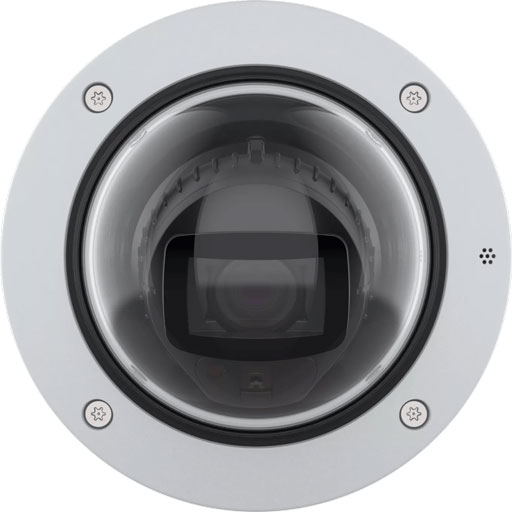
Axis P3285-LV with Audio Analytics
Surveillance Video Efficiency
When recording or streaming video, storage and bandwidth usage is always an issue. Video is a resource-intensive application.
There are three methods to greatly reduce the burden your IP security video system places on your network and storage.
More Efficient Video Compression
If you want more efficient video, your first step is to look at what types of video compression the system and components support.
Look for support of the H.265 (HEVC) and/or AV1 video coding formats.
Your camera must be able to encode the format and your video management software (VMS) must be able to decode it. It’s no good if your camera encodes AV1 video and sends it to a recorder that can’t handle the format — it’s like trying to play a CD on a record player.
Why should you look for H.265 and AV1? The answer requires a bit of context.
Digital video is encoded in a variety of ways. The industry has developed a series of video codecs to encode and decode it according to different video coding formats. Both codecs and formats have been standardized in a series of specifications.
The word “codec” comes from coding and decoding. Video coding formats are often called video codecs (including by us), although technically the two are different.
New video codecs and video formats aim to improve video compression without harming video quality. The problem is new formats need industry adoption to be useful, and they typically require more advanced processing.
In a nutshell, this is the story of the roll-out of H.265 and AV1, two comparatively recent video coding formats.
The H.265 standard was first released in 2013. The format is also known as HEVC (High Efficiency Video Coding). It’s used on your iPhone to reduce the file size of the videos you take of your children at Disneyland. It’s also used on 4K UHD Blu-rays to give you incredible detail on Predator’s mask as he searches for a mud-covered Arnie. H.265, however, has complicated licensing issues, which has limited adoption.
The AV1 standard was first released in 2018. Unlike H.265, AV1 is an open, royalty-free format. It’s optimized for high-resolution content and is used widely for web-based video, most famously on YouTube. (AV2, an even more efficient format, should be launched very soon.)
Both H.265 and AV1 are significantly more efficient than H.264 (AVC), which is still the most widely used video coding format today.
Because they’re much more efficient, they can greatly reduce the bandwidth load and file size of IP camera surveillance video.
Thankfully, it’s becoming easier by the day to find IP camera equipment and software that support greater video efficiency.
H.265 support is now quite common in newer IP cameras and VMS offerings from manufacturers like Axis, Hikvision, and Hanwha.
AV1 support is less common but growing. In particular, Axis is rolling out AV1 support across their equipment and software.
By the way, both video coding formats are also important in the business communications world. Saving on bandwidth is just as important for video conferencing as it is for video security.
If you’d like to know more about AV1 in this context, check out our blog: What Does the AV1 Video Codec Mean for Business?
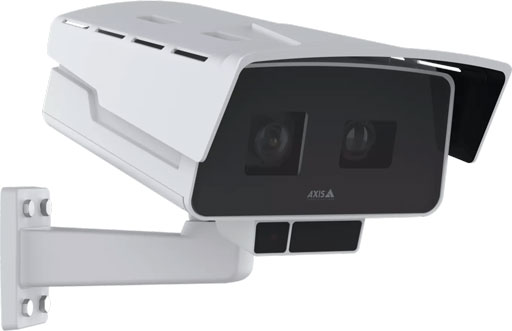
Video Waste-Reducing Technologies
Great! You’ve found cameras and software that supports H.265. Is that it? Or can you make your IP camera system even more efficient?
Yes. Related to efficient video formats are surveillance-specific technologies that reduce resource expenditure on inessential parts of the video feed.
We’re going to use two examples from Axis as illustrations: Corridor Format and Zipstream.
“Corridor Format” is just a fancy way of saying that the camera can switch from landscape to portrait orientation — that is, switching from the long side being horizontal to it being vertical.
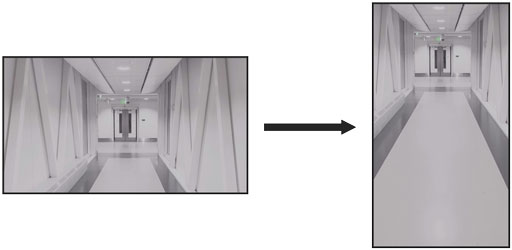
Example of Axis Corridor Format
When you picture surveillance video, you probably think of it looking like a movie, right? We certainly do.
But if you’re surveilling a narrow space like an aisle or hallway, it’s much more efficient to use portrait orientation. That way, you’re not just wasting video data on unchanging walls.
Corridor Format is a simple way to make your video feed more efficient.
Axis Zipstream is more complex. It’s a set of intelligent algorithms developed by Axis that analyze visual data in real-time to identify areas of forensic interest: objects in motion, faces, license plates, and so on. It preserves full resolution and frame rate on these areas, while filtering less essential areas heavily.
In other words, it keeps full detail on only the important parts of the video feed. The result is an average reduction of bandwidth and storage load of 50% or more, according to Axis.
Zipstream is not an independent video format. It’s more of a video format enhancer, if you will, that works with H.264, H.265, and AV1.
If you want to optimize your surveillance video feeds beyond using efficient video compression, look for these waste-reducing technologies.
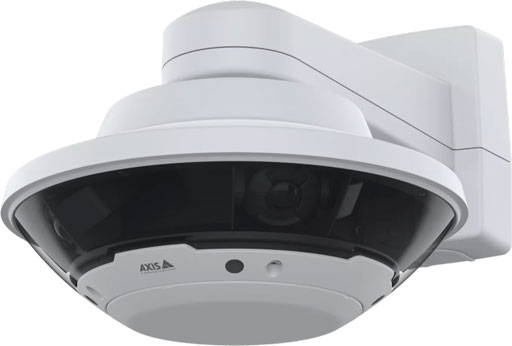
Motion Detection
The final way to make your video feed more efficient is to set up cameras to record only what’s important when necessary, rather than have them record everything all the time.
Let’s admit it: large swathes of surveillance video are useless. An empty lot, an unused truck dock, and so on. Ideally, your security camera should only record the important moments. That not only greatly reduces bandwidth and storage load, but also makes finding the critical video evidence much, much easier.
Motion detection can be used to trigger cameras to start recording. This method can greatly reduce the amount of useless video your system records.
Let’s use Axis Video Motion Detection as our example. This edge-based application triggers events when the camera detects irregular motion. Regular motion would be things like trees swaying, debris being blown by the wind, or car headlights causing shifting shadows. You can also configure the camera only to monitor specific areas of the scene for motion detection, which helps reduce false alarms.
“Edge-based” means Video Motion Detection analyzes the video on the camera. It doesn’t need to send the video over the network for analysis.
This means the camera is continuously monitoring a scene without overloading the network.
Video Motion Detection can be used to trigger the camera to record video on internal storage or to send and record video on centralized network storage.
This technology can add up to a very significant reduction in bandwidth and storage load.
There are limitations to using motion detection. First off, it should never be used for critical deployments. Second, it can only be used in comparatively constrained areas where irregular motion will stand out. For example, you wouldn’t want to use it in an area with heavy traffic.
To sum up, if you’re hoping to reduce bandwidth and storage load caused by your IP camera system, look for these three things:
- More efficient video compression
- Video waste-reducing technologies
- Motion detection