

Did you know that all Grandstream GWN7600 Series Wi-Fi Access Points support mesh networking?
It’s true, as of May 2026, with only one exception: GWN7602, which only functions as a range extender.
Every other model in this series of increasingly popular, exceptionally cost-effective, and powerfully feature-rich APs supports mesh networking.
This is a big deal for SMBs and professional home offices who want an alternative to the offerings from NETGEAR and Ubiquiti.
You get enterprise-grade Wi-Fi performance without worrying about installing Ethernet cable drops and the rest. Lightning-fast Wi-Fi for your computer and communication devices — that’s what you get.
In this blog, we explain in non-technical language how Grandstream wireless access points can be used for mesh networking.
Let’s get into it!
Grandstream Mesh Networking
What is mesh networking for Grandstream access points? What are its advantages?
Mesh networking is a solution for reducing the number of wired Ethernet connections required to establish a Wi-Fi network. It reduces infrastructure costs and installation hassle while maintaining pro-grade performance.
The key feature of mesh networking is that the system automatically and dynamically optimizes wireless data traffic routing between the APs, rather than focusing solely on connecting to clients. Grandstream’s APs continually monitor channel performance and intelligently choose optimal connections to improve performance.
In short, it’s a simple, wireless solution to improve Wi-Fi coverage.
How does it work? Here’s a sketch of how mesh networking with Grandstream APs works.
Rather than using an Ethernet drop for each individual AP, with a mesh network you connect one AP to the LAN via an Ethernet drop and multiple additional APs connect wirelessly to the first AP.
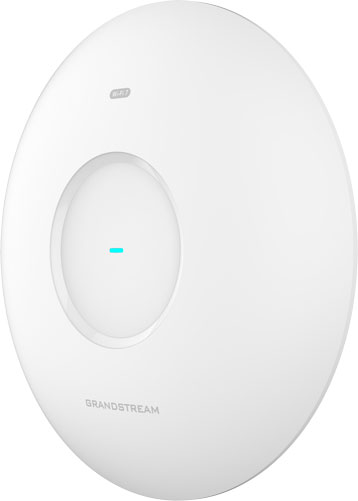
In their material, Grandstream calls the AP that connects to the LAN using an Ethernet drop the Central Access Point (CAP) and the APs that connect wirelessly Range Extenders (RE).
Grandstream Wi-Fi access points offer three modes for creating a mesh network: chain mode, star mode, and hierarchical star mode.
- Chain mode means the CAP connects to the LAN via an Ethernet drop, then an RE connects wirelessly to the CAP, a second RE connects wirelessly to the first RE, and a third RE to the second RE, and so on.
- Star mode means the CAP connects to the LAN via an Ethernet drop, then multiple REs connect wirelessly to the CAP.
- Hierarchical star mode means the CAP connects to the LAN via an Ethernet drop, then multiple REs connect wirelessly to the CAP, and those REs have additional REs connect wirelessly to them, and so on.
These modes only apply to how the APs connect to the network, not your devices; in every mode, Wi-Fi devices like smartphones, computers, IoT sensors, and so on can connect to any access point at any time.
Grandstream APs support mesh networks across a range of Wi-Fi bands: 5 GHz and 6 GHz single-band and 2.4 + 5 GHz and 5 + 6 GHz dual-band. Of course, which bands an AP can support depends on which radios the AP has; if you want 6 GHz support, look for newer Wi-Fi 7 (802.11be) models like GWN7672 and GWN7674. The 5 GHz and 6 GHz bands have a more limited range but are much faster.
Choose mode and Wi-Fi band based on the use-case: what’s the best way to cover a given space? If the space is narrow and long — an open-plan office, perhaps — you might find chain mode is best. If the space is centralized — a call center, perhaps — you might find star mode more effective.
Whichever mode you choose, the effect is the same: effortless expansion of your Wi-Fi network. For practical SMBs who want to keep a cap on expenditures, you’ve just eliminated a bunch.
You can have multiple mesh networks going at the same time by having multiple CAPs, each with their own connected REs. Each CAP will need its own Ethernet drop, but you can still greatly reduce the number of total drops. This is a wonderful arrangement if the space has many walls — an SMB’s home base, perhaps — because walls obstruct the Wi-Fi signal.
Grandstream APs can also be great for the home office, providing exceptional network connectivity for both your work and personal devices.
Why use a mesh network for the home office? Why use Grandstream APs at home?
Wired Ethernet connectivity is faster and more reliable than Wi-Fi. It’s a fact. But it’s also a fact that most of us don’t want to bother with — or pay for — wiring our homes. So we use Wi-Fi.
Most people use modems and routers that are provided to them by their internet service provider. Even if you buy your own router, for all but the smallest homes, a single router doesn’t cut it. Walls and floors obstruct the signal; the space is too big.
Consumer-grade mesh networking systems are increasingly popular, but they’re just that: consumer-grade.
What about the creatives who work with video and large images and need to have ultra-fast internet connections? What about the coders who use AI and need it for their enhanced productivity?
And what happens when the internet service provider’s Ethernet drop isn’t near your office?
Mesh networking. You might call it a prosumer solution — professional-grade performance with consumer-grade ease-of-use.
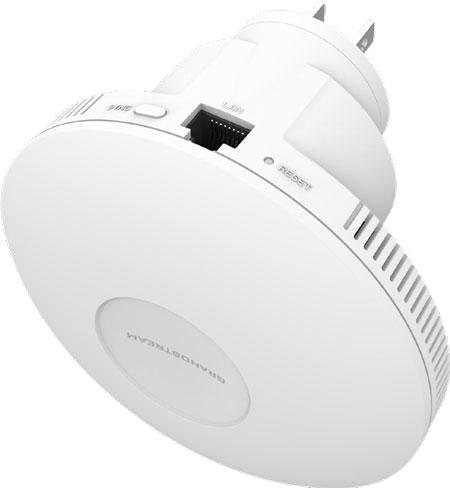
An access point like Grandstream GWN7660EM, which plugs into a standard electrical outlet, is a great option for establishing a professional Wi-Fi network at home.
Now, there are limitations to Grandstream mesh networking.
The REs that are closer in line to the CAP have a better network connection it has, as makes sense.
The number of APs per mesh network is limited based on how many clients like smartphones, laptops, and so on are using the Wi-Fi, especially if they’re connected to the CAP and not an RE. Grandstream currently recommends using no more than three REs in chain mode, no more than four REs in star mode, and having no more than two RE branches with no more than two second-level REs for each branch in hierarchical star mode.
Walls or similar obstructions can badly degrade a Wi-Fi signal. If your location has many walls, you may need to set up multiple mesh networks per space — still reducing the number of Ethernet drops, but maybe not as many as you’d like.
Finally, if you demand the absolute best speed and reliability from your network connection, you should invest in wired Ethernet connectivity.