


When building for video conferencing system, you need a microphone to pick up people’s voices. Many devices like video bars and touchscreen displays have internal microphone arrays.
But as rooms get larger with more people sitting farther apart, you need more microphones to ensure everyone’s voice is heard equally.
When you want to extend the voice pickup range of your system beyond a device’s internal microphones, there are two types of microphones you need to know about: expansion and external.
Yes, it’s confusing. Why do they basically have the same name?
Don’t worry.
In this blog, we clearly explain the difference between expansion microphones and external microphone for video conferencing.
Let’s get into it!

Expansion Mic? External Mic?
The difference between expansion and external microphones can be summed up like this:
- Expansion microphones work in conjunction with the microphones of the base video conferencing device.
- External microphones take over microphone functionality from the base video conferencing device.
In other words, expansion mics are “in addition to” and external mics are “as a substitution for.”
Let’s use Yealink’s offerings as an example.
Yealink MeetingBar A40 is a professional video bar for small to medium rooms. It’s listed as having a 6-meter (19.69-foot) maximum voice pickup range or 4-meter (13.12-foot) high-quality voice pickup range.
If that range isn’t sufficient, you’ll need something more. Not to worry: A40 supports a variety of microphones. We’re going to use VCM36-W and CM20 as examples.
- Yealink VCM36-W is a wireless expansion microphone. It’s positioned on a table or desk where it’s most convenient and effective.
- Yealink CM20 is a wired external microphone. It’s installed in the ceiling.
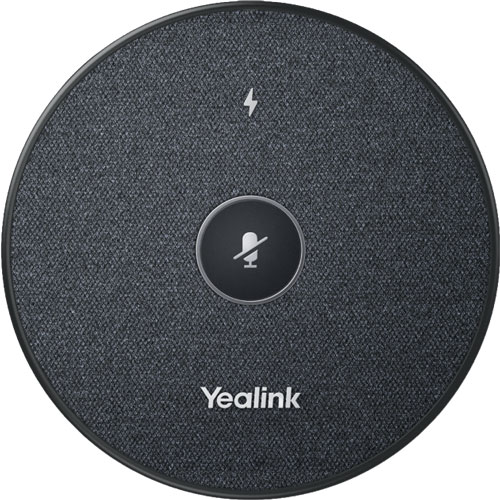
Here’s how Yealink VCM36-W works as an expansion microphone:
You pair VCM36-W with A40 by plugging it into the USB-A port on the video bar; you can pair two VCM36-Ws at the same time. After a microphone is paired, you can disconnect its USB cable and use it wirelessly; at this point it uses Wi-Fi to connect to the video bar.
The microphone array in the video bar and the expansion microphone(s) both “listen” for sound at the same time. The system automatically selects which device it uses for sound pickup based on which is closest to the sound source.
For example, if someone is sitting at the back of the meeting room, they’ll be closer to the VCM36-W; when they speak, the system will automatically use the expansion microphone’s feed. When someone sitting at the front then talks, the system will switch to the video bar’s feed.
VCM36-W is listed as having a 6-meter 360° voice pickup range, so it can greatly extend the range of the A40, especially because you can pair two of them. And because it’s a wireless mic that uses Wi-Fi, you can quickly position it wherever is most effective. That’s especially nice if people sit in different arrangements in separate meetings: it’s a flexible solution.
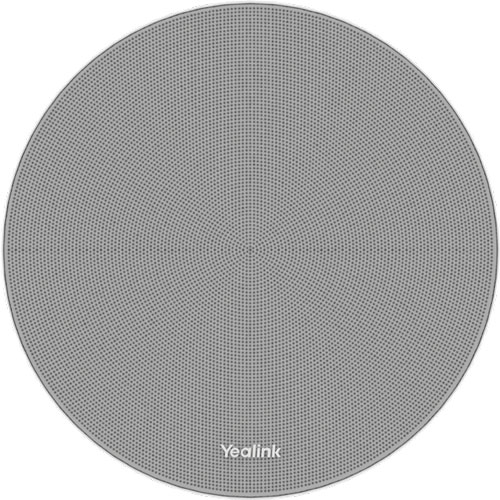
Here’s how Yealink CM20 works as an external microphone:
You pair CM20 to A40 in one of two ways.
You can connect it directly by running an Ethernet (RJ45) cable from the microphone to the VCH port on the A40. In this case, you can only use one CM20. Or you can connect it to one of the four VCH ports of the Yealink RCH40 E2 Room Cable Hub and the A40 to the uplink port on the RCH40 E2. The two devices are connected through the network, not directly. In this case, you can use two CM20s.
In either case, a CM20’s Ethernet cable must always remain connected.
CM20 replaces the video bar’s internal microphone, so it will be the only source of voice pickup. The system never switches back to the video bar’s feed like with the VCM36-W.
Why use a CM20 over the wireless microphone? Two reasons: audio quality and a professional meeting space.
VCM36-W uses a 3-microphone array for voice pickup. CM20 uses a 16-microphone array that can intelligently track and pick up voices in 8 distinct zones. It has an internal digital signal processor (DSP) to process the audio feed and make it sound exceptional.
Because CM20 is installed in a ceiling, it’s out of the way, making the meeting room look more professional. It can even help conversations feel more natural, because people might forget they’re speaking into a microphone.
Which type should you use: expansion microphone or external microphone?
We’ve presented the cases for both. Whichever sounds best for your business is the best choice!